
How to Pay QESCO Bill Online in 2026: 6 Easy Methods
Want to pay QESCO bill online without standing in a long queue at the bank? You can now clear your Quetta Electric Supply Company bill from your phone in less than two minutes. All you need is your 14-digit reference number and a mobile wallet or banking app.
This guide shows six easy ways to pay QESCO bill online and offline in 2026. It also covers payment safety, what to do if the payment does not show, and how to avoid the late payment surcharge.
What You Need Before You Pay
Keep these things ready before you start. It will make the process quick and error-free.
- 14-digit reference number: It is printed at the top of every QESCO bill. If you lost the bill, read our guide on how to check your QESCO online bill with the reference number.
- Bill amount and due date: Check the amount payable within the due date and after the due date.
- A payment app or bank account: JazzCash, Easypaisa or any bank app that supports utility bills.
- Enough balance: Make sure your wallet or account has the full amount.
Tip: Copy your reference number into your phone notes. You will need it every month, and typing it from memory often causes mistakes.
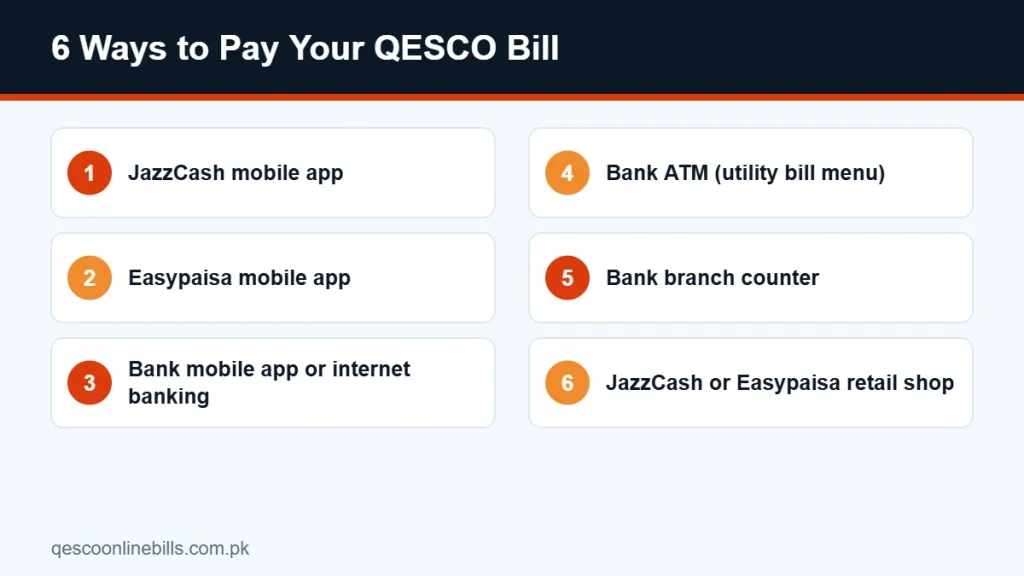
Method 1: Pay QESCO Bill Online via JazzCash
JazzCash is one of the most popular ways to pay QESCO bill online in Balochistan. It works on any Android or iPhone and also on a basic phone through a USSD menu.
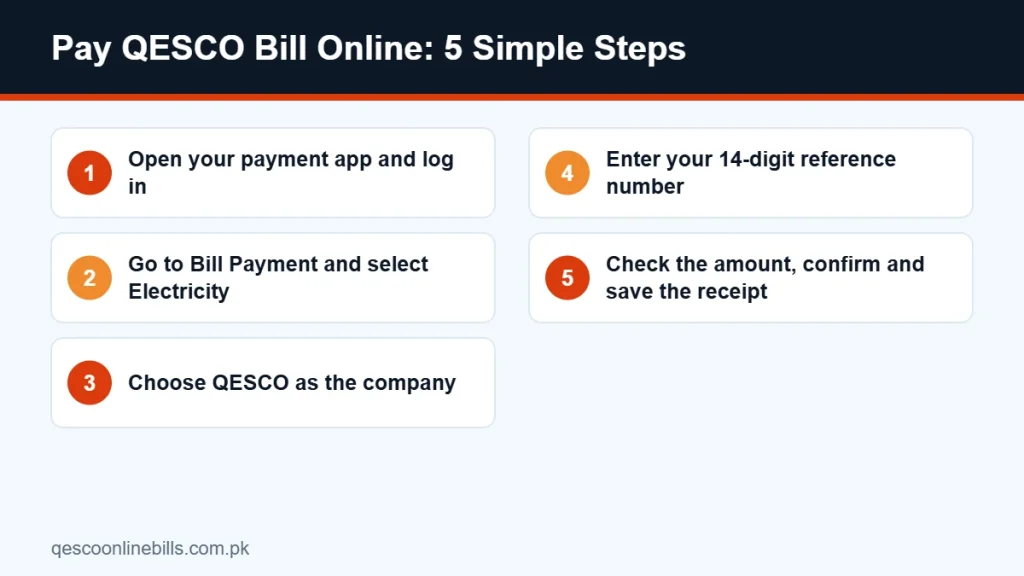
- Open the JazzCash app and log in with your MPIN.
- Tap Bill Payments and then select Electricity.
- Choose QESCO from the list of companies.
- Enter your 14-digit reference number and tap Next.
- The app shows the consumer name, amount and due date. Check them carefully.
- Confirm the payment with your MPIN and save the receipt.
You can download the app from the official JazzCash website. If you do not have a JazzCash account, you can also pay at any JazzCash retailer shop.
Method 2: Pay QESCO Bill Online via Easypaisa
Easypaisa offers almost the same flow. Many users find it the easiest way to pay QESCO bill online because the electricity menu is on the home screen.
- Open the Easypaisa app and log in.
- Tap Bill Payment and select Electricity.
- Select QESCO as the company.
- Type your 14-digit reference number.
- Review the name and the amount shown on screen.
- Tap Pay, confirm with your PIN and keep the transaction ID.
The official Easypaisa website explains how to open an account with your CNIC if you are a new user.
Method 3: Pay Through a Banking App or Internet Banking
Almost every bank in Pakistan lets you pay QESCO bill online through its mobile app. This includes HBL, Meezan Bank, UBL, MCB, Allied Bank, Bank Alfalah, National Bank and many others.
- Log in to your banking app or internet banking.
- Open Payments or Bill Payment, then select Utility Bills.
- Choose Electricity and then QESCO.
- Enter the 14-digit reference number. Some apps let you save it as a payee.
- Confirm the amount and authorise the payment with your OTP or PIN.
Saving QESCO as a payee is a smart move. Next month, you can pay QESCO bill online with two taps.
Method 4: Pay at a Bank ATM
Many banks allow utility bill payments on their own ATMs. Insert your card, open Bill Payment or Utility Bills, choose Electricity and then QESCO, and enter your reference number. Collect the printed slip as proof.
ATM menus differ from bank to bank. If you cannot find QESCO in the menu, use the mobile app of the same bank.
Method 5: Pay at a Bank Branch
If you prefer to pay in person, take your bill to any bank branch that collects QESCO bills. The cashier will scan the bill and stamp your copy.
Lost the paper bill? You can print a duplicate copy from our QESCO bill check tool or the official PITC QESCO web bill page and take it to the bank.
Method 6: Pay at a Retail Shop
JazzCash and Easypaisa agents are available in almost every bazaar in Quetta, Pishin, Sibi, Loralai, Turbat and other towns. Give the reference number to the shopkeeper, pay in cash, and ask for the printed or SMS receipt.
This method is helpful for people who do not use smartphones but still want to pay QESCO bill online through an agent.
Comparison of Payment Methods
| Method | Where | Best for | Receipt |
|---|---|---|---|
| JazzCash app | Mobile | Quick payment from home | In-app and SMS |
| Easypaisa app | Mobile | Quick payment from home | In-app and SMS |
| Banking app | Mobile or web | Bank account holders | Downloadable receipt |
| ATM | Bank ATM | Cardholders on the go | Printed slip |
| Bank branch | Bank counter | Paying with a paper bill | Stamped bill copy |
| Retail shop | JazzCash or Easypaisa agent | People without smartphones | SMS or printed slip |
When Will the Payment Show on My Bill?
When you pay QESCO bill online, the payment usually updates in the system quickly. Sometimes it can take a day or two to appear on the online bill. Do not pay twice during this time.
If the payment still does not show after a few working days, contact QESCO with your receipt. Keep the transaction ID, date and amount ready.
Paying After the Due Date
Every QESCO bill shows two amounts: payable within the due date and payable after the due date. If you pay late, a late payment surcharge is added. Some apps stop accepting the bill after the due date or show the higher amount.
To avoid extra charges, pay QESCO bill online at least two days before the due date. Want to plan your expense in advance? Try our QESCO bill calculator to estimate next month’s bill.
Safety Tips for Online Bill Payment
Fraudsters sometimes send fake messages about electricity bills. Follow these simple rules to stay safe:
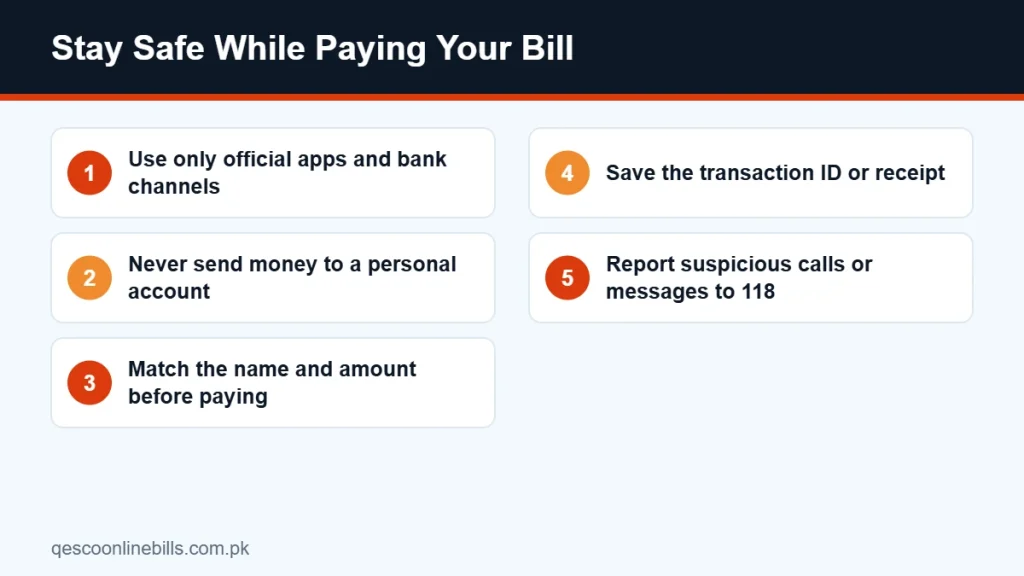
- Use only official apps downloaded from the Play Store or App Store.
- Never send money to a personal JazzCash or Easypaisa number that claims to be QESCO staff.
- Check that the consumer name shown in the app matches your bill.
- Do not share your MPIN, OTP or card PIN with anyone.
- Report suspicious calls or SMS to the QESCO helpline 118.
Common Problems and Their Solutions
Invalid reference number
Check that you entered all 14 digits without spaces or letters. Compare it with the number printed on your bill.
Amount shown is zero
This usually means the bill is already paid or the new bill is not yet issued. Check the bill status online before trying again.
Payment deducted but not confirmed
Wait for 24 hours. If the amount is still not shown on your bill, contact your bank or wallet helpline with the transaction ID.
QESCO not in the list
Update your app to the latest version. If QESCO still does not appear, try the search option inside the bill payment menu.
Benefits of Paying Online
Here is why more families now pay QESCO bill online instead of visiting a bank:
- Saves time: No travel and no queue. The whole process takes about two minutes.
- Works 24/7: Apps work at night, on Fridays and on public holidays.
- Instant proof: You get an SMS and a digital receipt right away.
- Fewer mistakes: The app shows the exact amount, so you do not pay too much or too little.
- Easy for families: One person can pay bills for parents or relatives living in another city.
Bills for Commercial and Agricultural Connections
Shops, offices and tubewell connections also have a 14-digit reference number. You can pay QESCO bill online for these connections in the same way. Large commercial or industrial bills may need a bank transfer or a branch payment because some apps have a daily transaction limit. Check the limit of your wallet or bank before paying a large amount.
Keep a Record of Every Payment
Save each month’s receipt in one folder on your phone. If there is ever a dispute about a missing payment, these receipts will help you get it corrected quickly. You can also check the payment history printed on your online bill, which shows your recent months, units and amounts paid.
Frequently Asked Questions
Can I pay QESCO bill online without the paper bill?
Yes. You only need the 14-digit reference number. The app shows the latest amount automatically.
Is there any fee to pay QESCO bill online?
Most banks and wallets do not charge for utility bill payments. Check your app for any service charge before you confirm.
Can I pay someone else’s QESCO bill?
Yes. Enter their reference number in your app and pay. The payment is credited to the account linked with that reference number.
Can overseas Pakistanis pay QESCO bills?
Yes. Overseas Pakistanis can use the internet banking or app of their Pakistani bank account, or ask a family member to pay through JazzCash or Easypaisa.
How do I get proof of payment?
Your app sends an SMS and keeps a receipt in the transaction history. Save a screenshot or download the receipt.
Conclusion
It has never been easier to pay QESCO bill online. Choose JazzCash, Easypaisa or your banking app, enter your 14-digit reference number and confirm the amount. Pay before the due date, save your receipt and you will never have to stand in a bank queue again.